Capital Network Workstation Client Install
If you have Capital installed on a network, in order for the workstations to run you must also perform a network client install on each workstation. This will prepare the station to run our programs.
The program winclient.exe contains only the components needed for a workstation to run the program from the server. It is not the entire program. If you do not have Capital installed on your server, please contact us at 517-324-9100 or email customerservice@capitalrating.com to get it.To download Capital's network install program:
- Click Download WinClient Now below.
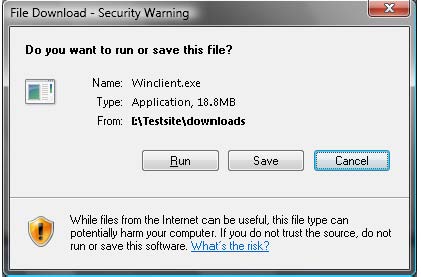
- When this dialog below pops up select Save. Should any security questions come up just click ok to each.
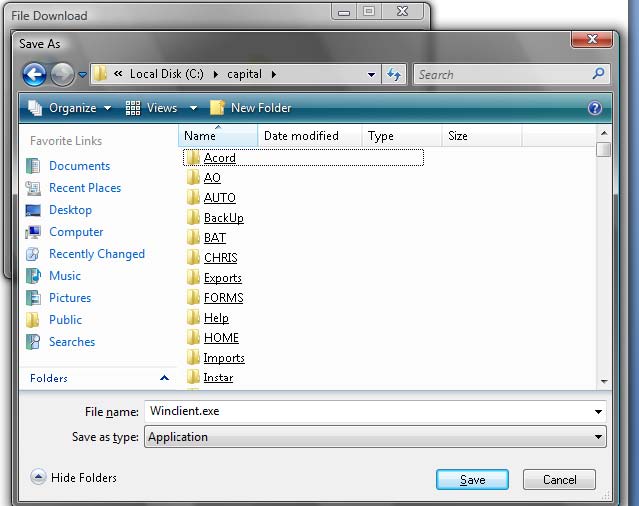
- In the Save As dialog, browse to the drive and directory on your file server where Capital is installed. Once there save Winclient.exe.
To do the client installation:
Note: Other users may continue to use our program while this workstation is running Winclient.exe. We encourage you to close other programs as a reboot may be needed.
- Go to the workstation that needs to be setup. Make sure to close all programs in case a reboot is required.
- From that workstation open This PC. Browse to the network drive and open the Capital folder.
- Find Winclient.exe in the list of files and open it. The following page will appear.
Make sure it is pointing to the correct file server Capital folder. If so click Next. The files will begin to load and install. It should only take a few seconds. Again, if any security warnings pop up, just click OK.
- Follow the same procedure on each workstation not yet setup.
Passwords and agency carrier codes are saved at a station level. If the station was not previously setup these will have to be entered once. From there forward they will be saved.
You may have to temporarily disable User Account Control.
Download WinClient Now
